Changelog Summary - Version 7.3.0
Version 7.3.0 turns Process Studio into a place to think out loud: add sticky notes, connect them to tasks, and group work by labels. It also lets you book project income and expenses directly on a task, and makes task history easier to read. Here is what is new.
🧩 Process Studio — notes, links, and label grouping
Add notes: Drop sticky notes anywhere on the canvas. Give each note a name, a description and one of six colors, resize it, move it around, and double-click to edit it later. Remove a note when it is no longer needed.
Link notes to tasks: Draw a link from a note to a task to keep context attached to the work it explains. The link follows the note and the task as your process changes.
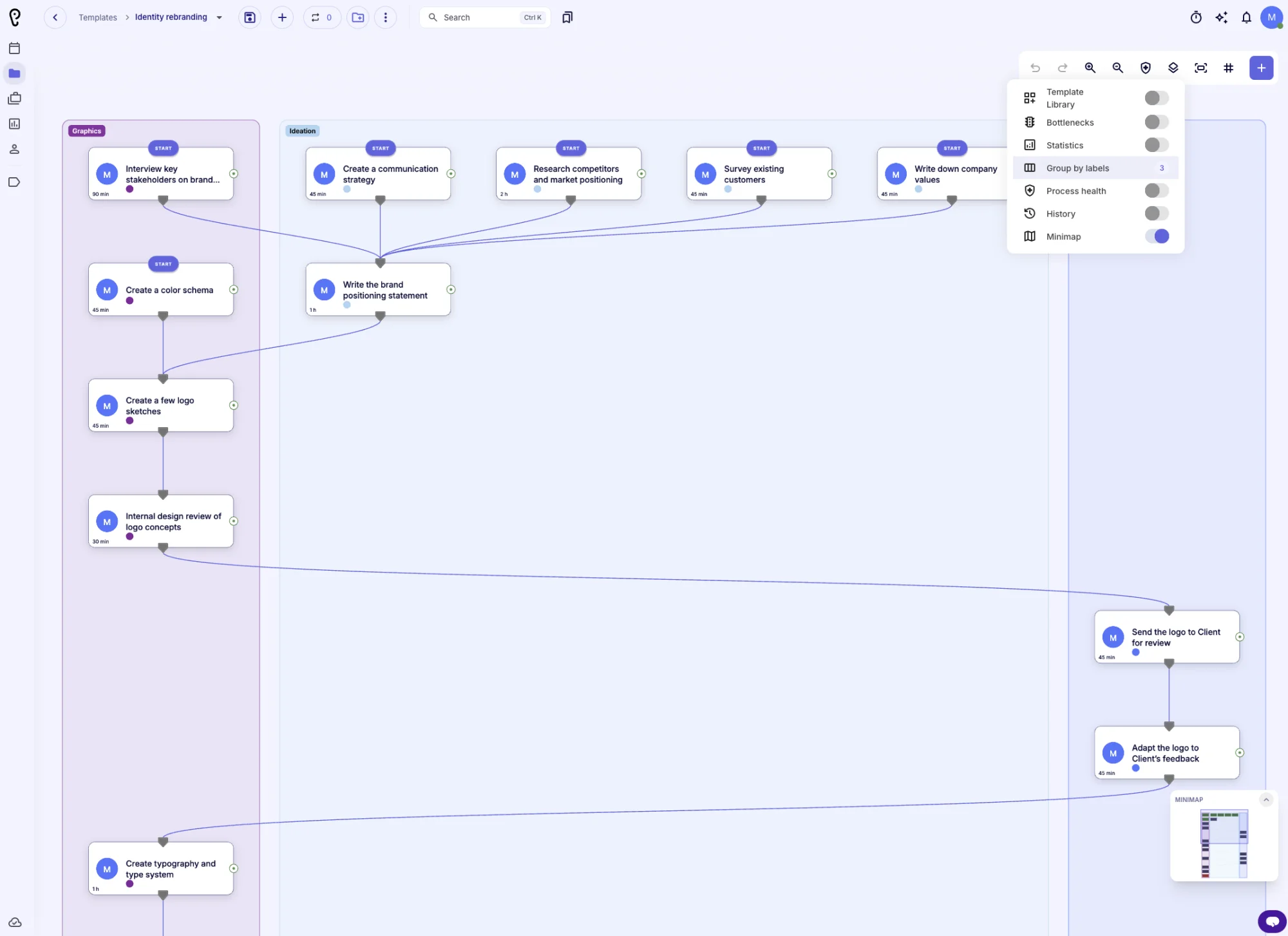
Group by labels: Choose one or more labels and tasks that share them stay together in colored lanes. The menu shows how many labels are active, group lanes are included in the minimap and fit-to-view, and lane changes animate smoothly. Tasks without a selected label stay uncolored, and decisions inherit the lane of their linked task.
Saved with your process: Notes, note links and label grouping are stored with the template and copied into projects created from it, so the context survives publishing, version comparison and project creation. Notes and note links are also part of version comparison and can be created through the APU assistant.
Available everywhere: Notes and label grouping are no longer limited to the new environment — they work in every Process Studio environment.
💰 Project finance on tasks
Book on the right level: The income and expense dialogs now include an optional task selector. Leave it empty to book the entry on the project, where it is realized immediately, or pick a task to book it on the task, where it stays planned until the task is done.
🧾 Clearer task activity
Real names instead of IDs: Task history messages now show the actual names of files, links, members, labels, projects and customers instead of internal identifiers.
Better change details: Role and backup manager changes are shown as a clear before and after, and restricted or unavailable items have safe fallbacks instead of blank entries.
Less noise: Updates that only touch internal bookkeeping fields are no longer shown as separate history entries.
✨ Everyday polish
Localized reporting titles: Reporting pages now update their document titles when the language changes.
Wider number inputs: Number-with-select fields got a wider maximum width, so longer values stay readable.
More languages: Translation files were refreshed across supported languages.
We hope these improvements make your daily work clearer and faster. Thank you for using APUtime!